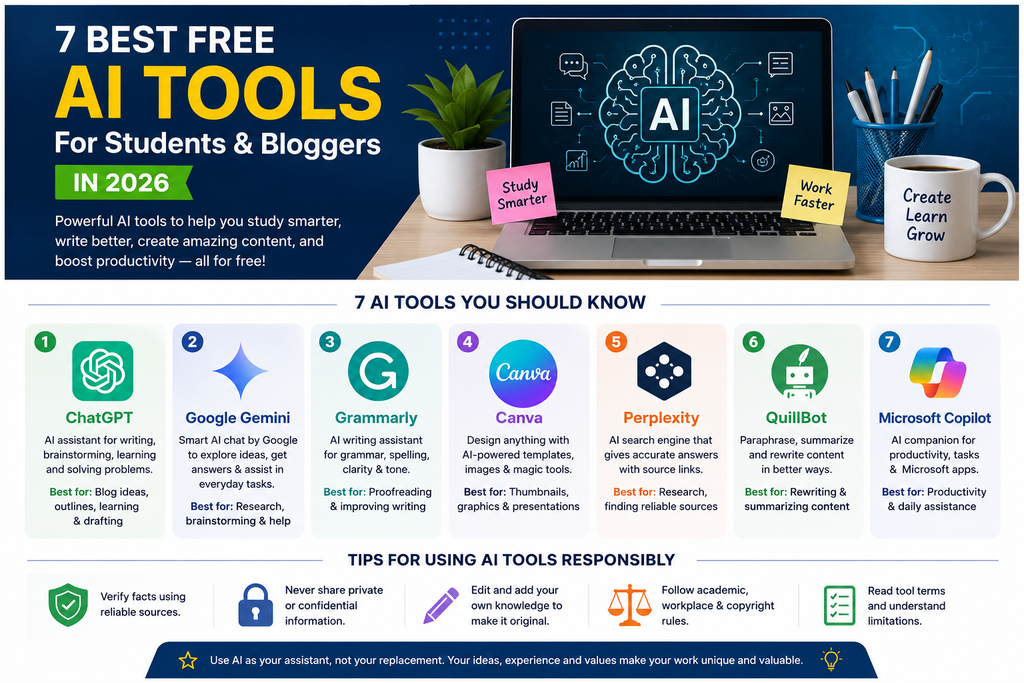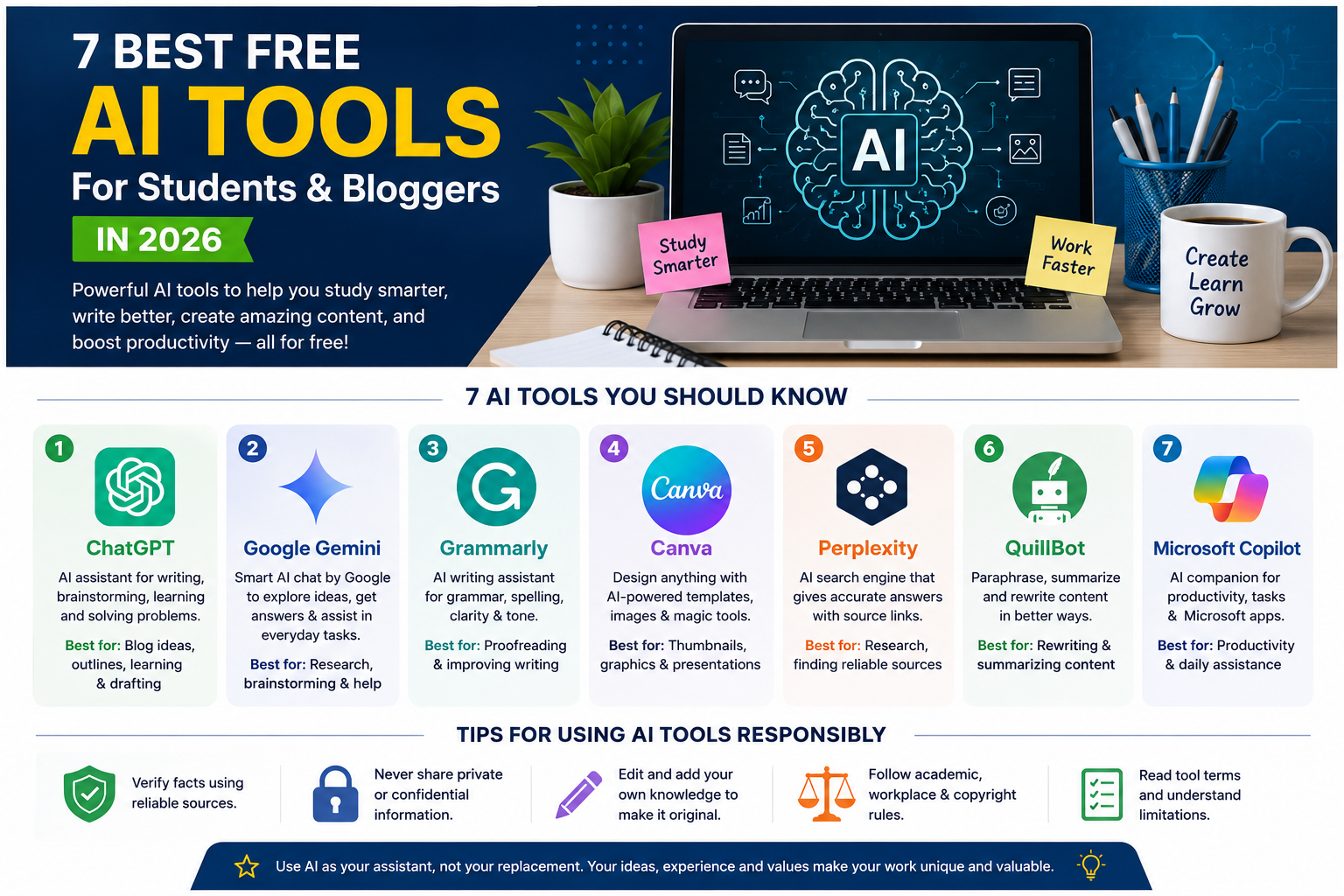
Artificial intelligence is changing how students learn and how bloggers create content. Today, many AI tools can help users generate ideas, organize information, improve writing, create designs, and complete everyday tasks more efficiently.
You do not need to be a technology expert to start using these tools. Many platforms offer free plans or limited free features, making them useful for beginners who want to explore AI without immediately paying for a subscription.
In this guide, we will explore seven AI tools that students and bloggers can use in 2026, along with their main features and limitations.
1. ChatGPT
ChatGPT is a conversational AI assistant that can help with brainstorming, explanations, writing outlines, summarizing information, and answering questions.
Best for: Blog planning, learning concepts, brainstorming, and drafting.
Bloggers can use ChatGPT to develop article outlines, generate headline ideas, and improve the clarity of their writing. Students can use it to understand difficult topics and create revision questions.
However, users should verify important facts and avoid submitting AI-generated work as their own when academic rules prohibit it.
2. Google Gemini
Google Gemini is an AI assistant that can help users explore ideas, understand information, and work through different types of tasks.
Best for: Research assistance, brainstorming, and everyday productivity.
Students can use it to explain complicated subjects in simpler language. Bloggers can use it to develop content plans and identify questions that an article should answer.
Always check factual claims against reliable sources before publishing them.
3. Grammarly
Grammarly helps users review their writing for grammar, spelling, punctuation, and clarity. Depending on the plan and product features available, it may also offer additional writing assistance.
Best for: Proofreading and improving written English.
Bloggers can use Grammarly to review article drafts before publishing. Students can use it to identify writing mistakes and improve readability.
Remember that automated suggestions may not always match your intended meaning, so review changes before accepting them.
4. Canva
Canva is a design platform that makes it easier to create graphics without advanced graphic design skills. It offers templates for social media posts, presentations, posters, and blog graphics, along with AI-powered features that vary by plan.
Best for: Blog thumbnails, presentations, and social media graphics.
Bloggers can create featured images for articles, while students can prepare presentations and visual study materials.
Use original designs or properly licensed assets, especially when creating content for commercial websites.
5. Perplexity
Perplexity is an AI-powered search and answer platform that helps users explore questions and discover relevant sources.
Best for: Initial research and finding sources to investigate.
Bloggers can use it to explore a topic before consulting original reports, official documentation, or expert sources. Students can use it to identify references for further reading.
Do not rely only on an AI-generated summary. Open the cited sources and confirm that they actually support the information you plan to use.
6. QuillBot
QuillBot provides writing tools that can help users paraphrase text, summarize material, and improve phrasing. Its available features and usage limits depend on the current plan.
Best for: Revising sentences and summarizing notes.
Bloggers can use it to explore clearer ways to express their own ideas. Students can use summarization features to review material, provided they follow their institution’s academic integrity rules.
Paraphrasing does not make copied work original. Always credit sources when required.
7. Microsoft Copilot
Microsoft Copilot is an AI assistant that can help with questions, brainstorming, and productivity tasks. Its capabilities and integration with Microsoft products depend on the version and subscription.
Best for: Everyday productivity and Microsoft-related workflows.
Students may use it to organize tasks or understand concepts. Bloggers can use it to brainstorm article topics, prepare checklists, and structure projects.
Check important information before using it in assignments, business documents, or published articles.
How to Choose the Right AI Tool
The best tool depends on what you want to accomplish.
- For blog ideas and outlines: ChatGPT or Gemini.
- For proofreading: Grammarly.
- For thumbnails and graphics: Canva.
- For research and sources: Perplexity.
- For rewriting and summaries: QuillBot.
- For productivity tasks: Microsoft Copilot.
Free access and features can change over time, so check each provider’s official website before signing up.
Tips for Using AI Tools Responsibly
AI can save time, but it should support your judgment rather than replace it.
- Verify facts using reliable sources.
- Protect private information and confidential documents.
- Edit AI-assisted writing so it reflects your own knowledge and experience.
- Follow academic, workplace, and copyright rules.
- Check the terms and limitations of free plans before relying on a tool.
For website owners, publishing large amounts of unreviewed AI content is not a substitute for creating genuinely useful material. Focus on answering readers’ questions with accurate information, examples, and practical guidance.
Conclusion
Free AI tools can help students and bloggers work more efficiently. ChatGPT and Gemini are useful for brainstorming, Grammarly helps with proofreading, Canva supports visual design, and tools such as Perplexity can assist with research.
You do not need to use every tool. Start with the one that solves your biggest problem, test its free features, and build a workflow that helps you produce accurate and useful work.
Frequently Asked Questions
Are AI tools free to use in 2026?
Some offer free plans or limited free features, while others reserve certain capabilities for paid subscriptions. Check current pricing on each provider’s official website.
Can bloggers use AI to write articles?
Yes. AI can assist with planning, drafting, and editing. Bloggers should review the output, verify facts, add original value, and follow applicable policies.
Which AI tool is best for students?
There is no single best option for everyone. ChatGPT and Gemini can help explain concepts, Grammarly can assist with writing, and Canva can help prepare presentations.
Can AI-generated content rank on Google?
Content quality matters more than the method used to create it. Focus on originality, accuracy, usefulness, and the needs of your readers rather than publishing content solely to manipulate search rankings.